Amateur Radio Weekly Newsletter – Week of June 26, 2021

Amateur Radio Weekly Newsletter

Ham radio news, commentary, giveaways, and more!
Celebrating 25 years of service – 1995-2021
Over 8,000 subscribers!
Unsubscribe

Saturday, June 26, 2021

  • RFI noise antenna issue
    I have decided to give my MFJ 1026 noise canceller a call to action and combat this RFI I have been having. In the past, I did own a 1026 and used it with great success to remove RFI our plasma TV was giving me. With the MFJ 1026, you need to hav…
  • LHS Episode #417: The Gang’s All Here
    Hello and welcome to Episode 417 of Linux in the Ham Shack. In this episode, the hosts are all gathered together in one place for the recording for the first …
  • Hunting For NDBs In CLE269
    AP-378 Active Pass, Mayne IslandIt’s CLE time! ‘CLE’s are ‘Co-ordinated Listening Events, and NDB DXers around the world focus their listening time on one small slice of the NDB spectrum. It’s another normal one again wi…

Thank you for being an AmateurRadio.com reader and subscriber to the Amateur Radio Newsletter.

Do you like to write? Please consider submitting an article.

Matt W1MST
Managing Editor
editor

Twitter / Facebook

How to set up your own ham radio blogGet started in less than 15 minutes

AmateurRadio.com
P.O. Box 45
Hampden ME 04444
USA

Electric Brains of YesterYear, PIC Trainer, Circuit Dev Process, Garage Sentinel

Newsletter #228

View in browser
Nuts & Volts - Everythinmg For Electronics
PCBFabExpress
The Electric Brains of Yesteryear

THE ELECTRIC BRAINS OF YESTERYEAR
Get Geniacs and Brainiacs from decades ago working again.

In the 1950s and ‘60s, Popular Electronics and other magazines carried ads for strange looking machines called Geniacs and Brainiacs. The ads claimed they were “electric brains” that could play Tic-Tac-Toe and NIM. A while ago, I bought several sets on eBay and I would like to share my experiences of learning about them and my sometimes frustrating — but successful — efforts to get them to work.

Read It Now!
Animatronics Book
Build Your Own PIC Trainer from Surplus

BUILD YOUR OWN PIC TRAINER FROM SURPLUS

Assemble a versatile and high quality PIC trainer from stuff in your junkbox that will make going from concept to working project a breeze.

Belying its humble origin, this really is an open-ended and high quality learning tool. Thanks to the breadboard-like nature of the trainer, it’s a snap to go from a theoretical concept to a working project in a matter of minutes.

Build It Now!
ExpressPCB
The Circuit Development Process

THE CIRCUIT DEVELOPMENT PROCESS

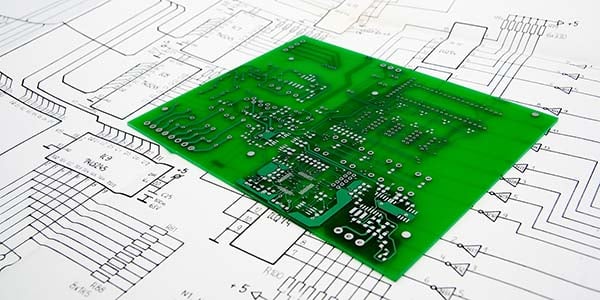
There’s a deep sense of satisfaction that results from developing, building, testing, and ultimately using a circuit of your own design.

It’s the creative process, after all, that attracts most electronics enthusiasts.

Read It Now!
Subscribe To Nuts & Volts
The Garage Sentinel

THE GARAGE SENTINEL
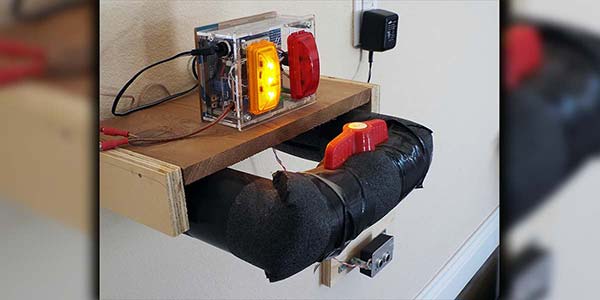
Here’s a parking assistant project that will save you from the ’ol hanging tennis ball.

A tennis ball suspended from the ceiling at just the right spot is the classic solution, but with more than one person using the garage — possibly driving different cars or just backing in — that just wouldn’t cut it. Here’s a high tech solution for the high tech hobbyist.

Build It Now!

Super Awesome Cube Kit

Need soldering experience? This is the kit for you!

Soldering skills are required by industry manufacturing electronic products as well as electronics enthusiasts developing new prototypes. What distinguishes the skilled solderer is the ability to perform work at a level that insures reliability. Here’s a kit that even though it’s electronically simple, it provides the builder with an array of soldering challenges and hours of soldering experience.

Find It in the NV Webstore
Do You Love Robots? - Subscribe To SERVO
Nuts & Volts On CD-ROM
RetroGame Kit
DIY RC Controller
Altaids Computer Kit
You are receiving this email because you have been a subscriber to Nuts & Volts Magazine, or have requested to receive our email newsletters. You may unsubscribe, change your email address or content preferences at any time through the links provided below.
Facebook
Twitter
Nuts & Volts Magazine | 2279 Eagle Glen Pkwy #112-481, Corona, CA 92883
951.371.8497 | editor | www.nutsvolts.com
T & L Publications, Inc, 2279 Eagle Glen Pkwy #112-481, Corona, CA 92883, United States, 951 371-8497

What a day!

I was totally wore down yesterday after the Saturday adventure.  This was the return trip for the Raton Pass repeater systems installs hosted by the CMRG (Cheyenne Mountain Radio Group).   I had gone down two weeks ago and helped all day with the clean up of the ‘new to them” repeater building and it was a huge mess.  You can see some of it here.  This trip was to move the Dstar machines and install the others in the new building with a few more “fixes” to the building.    Ok as a refresher this was what was installed in the new building…

This is the most complex repeater system CMRG has ever built. When installed, the system will have:
  VHF Repeater on 145.430 MHz
   VHF repeater linked to Cheyenne mountain 147.345 via Allstar
   UHF backup link to Cheyenne Mtn
   UHF Repeater on 449.600 MHz
   UHF D-STAR repeater 446.775 MHz
   900 MHz P-25 repeater linked to the CO 900 system
   APRS Digipeater (RATON)
   LinkCommunications RLC-4 repeater controller with remote control
   Triplite 2200 watt UPS with remote monitoring and external batteries

The repeater system (2 cabinets) will be installed on Raton Pass (CO/NM border) at the transmitter site of KCRT. 

It was a little slower getting there as we had to load up a lot of the equipment – duplexers, cabinet, radios, power units, backups, etc.  We got that all done and headed south about 8am.   Of course I needed a couple of pit stops but we all got there about 10 and proceeded up the mountain…

Once on top we positioned to get stuff unloaded.

1-NIK_4707

We had about the same people plus a couple and minus a couple and several bystanders as well…

1-NIK_4710-001

1-NIK_4711

Because we didn’t get the antennas up the last time that was a prime issues early to get them swapped out, changed, installed, etc.  We knew the storms were to start up about 2pm so they went to work getting old broken antennas out and new ones up…

1-NIK_4726

One off and one to take off yet, of course the bolts were rusted on and other small issues..

1-NIK_4749

That meant a lot of up and down and study on how to swap things out… ended up taking the entire mounting structure down so we could work on it on the ground. then back up.

1-NIK_4748

In the meantime several more were working on link antennas on the other end of the building.

On the opposite end of things several were working to get the Dstar cabinet out and moved to the new building.

1-NIK_4719

1-NIK_4722

Not all the wiring was done yet and the grounds were not linked up.  I worked on some of that to ensure , at least temporary, they were as we couldn’t find the Grounding clamps for the copper wire.

1-NIK_4756

1-NIK_4760

The cabinets in the new building and starting to re-hookup all the things that were unhooked with some additions of course.

1-NIK_4761

Both cabinets in the building but not hooked up and luckily it waited to rain and storm till now, in the back Rich is trying to get some of the Allstar links and software updated and ready for turn on.

1-NIK_4766

Inside the arrestors on the copper plate and grounded below but the 900mhz antenna wasn’t working?  At this point we couldn’t’ reclimb to check things out so it just remains unhooked.

1-NIK_4767

The storm moved on and now we put up the block of the south door and fixed the vent above it.  the one good thing about the rain and wind showed us where the leaks were and what to change… the top vent was ‘upside-down” and rain just poured in… so I took it off, put screen on the back and put it back right side up… hope that stops the rain as the cabinets were placed within a few feet of that blocked off door and that vent… once I got the door fully blocked I foam sealed all the way around it as it was old, weather rotted and didn’t pull up clean on that end with huge holes all the way around…

1-NIK_4769

1-NIK_4770

The guys inside continued to work on the network links and getting Dstar on, the Allstar up and other things going, and every time they tried to finish up it would quit or change…

1-NIK_4776

Cabinets hooked up, working on links and cables and oops it quit again…

1-NIK_4778

Well at least 95% is working like it was intended… I think.  The 900mhz repeater is still off till the antenna issues are fixed and possibly some more linking fixes yet to be done but access to all the systems is up.  and here is what was running when we left the site at 10pm…….

  VHF Repeater on 145.430 MHz
   VHF repeater linked to Cheyenne mountain 147.345 via Allstar
   UHF backup link to Cheyenne Mtn
   UHF Repeater on 449.600 MHz
   UHF D-STAR repeater 446.775 MHz
   APRS Digipeater (RATON)
   LinkCommunications RLC-4 repeater controller with remote control
   Triplite 2200 watt UPS with remote monitoring and external batteries

Then it was the long drive home and I got home about 1:30AM Sunday morning… totally tired… but happy I went and happy with what was accomplished.  In reality it is a tremendous amount of equipment installed in such a short time. 

Sure hope the guys on both sides of the pass enjoy and make use of the current equipment.

WD0AJG

Amateur Radio Weekly Newsletter – Week of June 19, 2021

Amateur Radio Weekly Newsletter

Ham radio news, commentary, giveaways, and more!
Celebrating 25 years of service – 1995-2021
Over 8,000 subscribers!
Unsubscribe

Saturday, June 19, 2021

  • AmateurLogic 156: Radiogram
    AmateurLogic.TV Episode 156 is now available for download. What’s a Shortwave Radiogram? OpenWebRX v1.0 Update. UBLOX7 Winlink and Time Sync using GPS. 1:04:56 Download YouTube
  • LHS Episode #412: WFView Deep Dive
    Hello and welcome to the 412th episode of Linux in the Ham Shack. In this episode, we have a fantastic interview with Elliott, Phil and Roeland, developers of the WFView …
  • LHS Episode #413: The Weekender LXXII
    It’s time once again for The Weekender. This is our bi-weekly departure into the world of amateur radio contests, open source conventions, special events, listener challenges, hedonism and just plain …
  • Ham College 77
    Ham College episode 77 is now available for download. Extra Class Exam Questions – Part 15. E4A Test equipment: analog and digital instruments, spectrum analyzers, antenna analyzers, oscilloscopes, RF measurements, computer-aided measurements. 5…
  • AmateurLogic Shorts 6: Automate Your Pi
    The Cheap Old Man wants to “Automate Your Pi”.

    Please Subscribe and click the Like and Share buttons if you enjoy our content. Note AmateurLogic Shorts are only available on YouTube.

  • AmateurLogic Shorts 7: Windows Sandbox
    A test environment for Windows that protects your PC against potentially dangerous programs you might need to run.

    Please Subscribe and click the Like and Share buttons if you enjoy our content. Note AmateurLogic Shorts are only available on YouTube.

  • Single-Yagi EME
    After being absent from 2m EME (moonbounce) for the past couple of years, I decided to spark-up again this spring to see if my simple system was still up to the task.Pretty much every month, during the moon’s sweep through its northern declinat…
  • AmateurLogic 157: Cheap Touch, Charge & Chat
    AmateurLogic.TV Episode 157 is now available for download. A $22 Raspberry Pi Touchscreen with case and fan. Is it worth it? The awesome VC4S Intelligent Battery Tester, Charger, Conditioner. VARA File Transfers and Chat over HF and FM gets the job do…
  • Further investigation of my ongoing RFI.
    A nice RFI free evening In a previous post regarding my RFI issues I kinda narrowed it down to my smart hydrometer. I am now starting to move away from that theory. The RFI is still there and I have been doing some reading regarding our smar…
  • LHS Episode #416: The Weekender LXXIII
    It’s time once again for The Weekender. This is our bi-weekly departure into the world of amateur radio contests, open source conventions, special events, listener challenges, hedonism and just plain …

Thank you for being an AmateurRadio.com reader and subscriber to the Amateur Radio Newsletter.

Do you like to write? Please consider submitting an article.

Matt W1MST
Managing Editor
editor

Twitter / Facebook

How to set up your own ham radio blogGet started in less than 15 minutes

AmateurRadio.com
P.O. Box 45
Hampden ME 04444
USA

An Altair Clone, O’scope Probes and Probing, Newton’s Apple, Build the MIDI Laser Theremin

Newsletter #227

View in browser
Nuts & Volts - Everythinmg For Electronics
PCBFabExpress
An Altair Clone: Then and Now

AN ALTAIR CLONE: THEN AND NOW
The resources available today compared to what was available in 1977 make all the difference in projects.

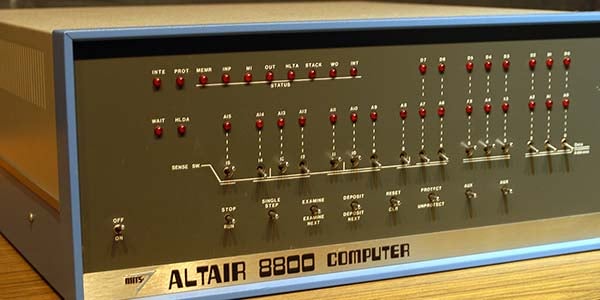
When I read the article “Build a Pocket-Sized Altair Computer” by David Hunter on building an Altair clone, I was reminded that I too had designed an Altair clone, but I built mine in 1977. Mine required seven boards in a 19” rack. This article details the resources I had then in a comparison of what resources are available today. I’ll also describe how I designed and built my clone.

Read It Now!

1 GHz PC-Based, Real-Time MSO

Pico Technology
Announcing 750 MHz and 1 GHz model PicoScope 6000E Series pc-based, real-time oscilloscopes from Pico Technology. These top end devices also offer 4 analog channels, 16 digital channels, available FlexRes capabilities, up to 4 GS of capture memory and 21 built-in serial protocol decoder/analyzers plus much more.

Advertisement

Get More Details Here!

Oscilloscope Probes and Probing

OSCILLOSCOPE PROBES AND PROBING

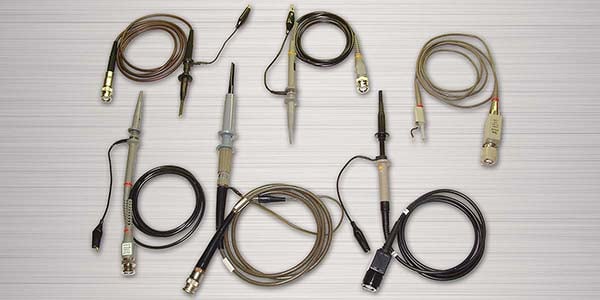
Do you get erratic results with your oscilloscope?

As you start probing higher and higher frequencies, do the results get increasingly odder? Let’s address the reasons for that strange behavior and construct an Active Probe for about $25.

Read It Now!
Subscribe To Nuts & Volts
Newton’s Apple

NEWTON’S APPLE

A fun spin on the classic falling body experiment to measure the acceleration of gravity.

When I was in junior college, I did an experiment in a physics class that I have never forgotten. It was the classic falling body experiment to measure the acceleration of gravity; 9.81 meters/sec2. I loved carefully adjusting the apparatus and meticulously taking the data, trying to get a result that was as close as possible to the established value. Frankly, I don’t recall how close I got but it was the thrill of scientific inquiry that grabbed me. Now, in this age of computer technology, I thought it might be challenging and fun to see how good I could do in my garage with a fairly simple DIY apparatus.

Read It Now!
Parallax
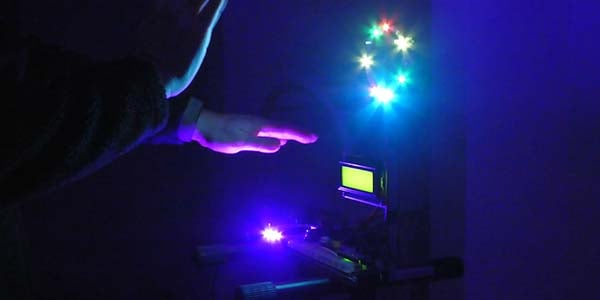
Build the LASERVox MIDI Laser Theremin

BUILD THE LASERVOX MIDI LASER THEREMIN
Make music by waving your hands at one of the most expressive musical instruments ever built.

If you want an instrument with violin levels of sensitivity, then a regular Theremin is for you. If you want an instrument that’s easier to play and that can control your MIDI synthesizer, then that is precisely what the LASERVox offers. The LASERVox is a perfect project for the novice because it’s a real instrument that can be built very easily with just a handful of components.

Build It Now!
Animatronics Book

Super Awesome Cube Kit

Need soldering experience? This is the kit for you!

Soldering skills are required by industry manufacturing electronic products as well as electronics enthusiasts developing new prototypes. What distinguishes the skilled solderer is the ability to perform work at a level that insures reliability. Here’s a kit that even though it’s electronically simple, it provides the builder with an array of soldering challenges and hours of soldering experience.

Find It in the NV Webstore
Do You Love Robots? - Subscribe To SERVO
Nuts & Volts On CD-ROM
Learning Lab 1
DIY RC Controller
Altaids Computer Kit
You are receiving this email because you have been a subscriber to Nuts & Volts Magazine, or have requested to receive our email newsletters. You may unsubscribe, change your email address or content preferences at any time through the links provided below.
Facebook
Twitter
Nuts & Volts Magazine | 2279 Eagle Glen Pkwy #112-481, Corona, CA 92883
951.371.8497 | editor | www.nutsvolts.com
T & L Publications, Inc, 2279 Eagle Glen Pkwy #112-481, Corona, CA 92883, United States, 951 371-8497

Take the Z80 Challenge, Psychedelia, Build a $6 Desk Mic, NixieStar Clock

Newsletter #226

View in browser
Nuts & Volts - Everythinmg For Electronics
PCBFabExpress
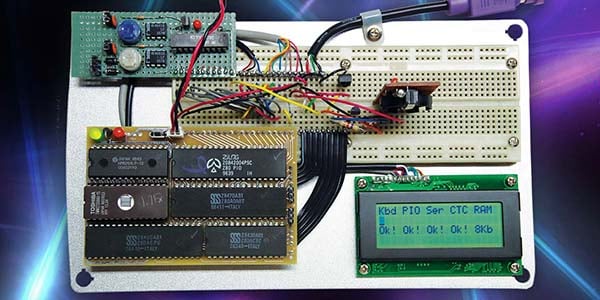
Take the Z80 Challenge

TAKE THE Z80 CHALLENGE
Build something that’s both classic and modern at the same time.

This project started out as a challenge to myself: Could I cram a full-featured Z80 microcomputer using DIP packages onto an ExpressPCB MiniBoard (3.8” by 2.5”)? Here’s what happened.

Take the Challenge Now!
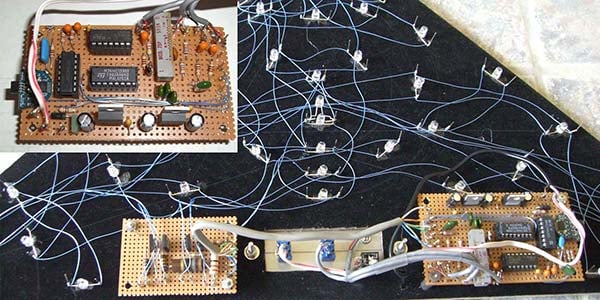
Psychedelia II

PSYCHEDELIA II

Watch lights flashing to your favorite music.

This color organ has both hardware and software (firmware) components. What’s different about this design is that all of the frequency selectivity is provided by digital filters in the digital domain and the output devices are now low voltage super bright LEDs instead of incandescent bulbs. In addition, a digital automatic gain control (or AGC) was included to allow the color organ to adjust itself to varying musical material.

Read It Now!
Subscribe To Nuts & Volts
Build a $6 Desk Mic

BUILD A $6 DESK MIC

Turn a cheap LED lamp into a usable microphone.

I certainly didn’t need another desk mic, but the prospect of building one from a $1 LED lamp and a spare mic cartridge was a project I could not pass up.

Build It Now!
Animatronics Book
Build the NixieStar Clock

BUILD THE NIXIESTAR CLOCK
Construct this elegant and intricate timepiece.

The NixieStar clock is the second timepiece kit I’ve developed. My aim was to have a kit that’s reasonably easy to build with intermediate soldering skills (i.e., minimal SMD components). I also wanted a clock kit that once it was built, any spouse (including my wife!) would accept it on their wall — even with a power cord hanging from it.

Take Time to Build It Now!
Super Awesome Cube Kit

Super Awesome Cube Kit

Need soldering experience? This is the kit for you!

Soldering skills are required by industry manufacturing electronic products as well as electronics enthusiasts developing new prototypes. What distinguishes the skilled solderer is the ability to perform work at a level that insures reliability. Here’s a kit that even though it’s electronically simple, it provides the builder with an array of soldering challenges and hours of soldering experience.

Find It in the NV Webstore

Read More Details
Do You Love Robots? - Subscribe To SERVO
Nuts & Volts On CD-ROM
Learning Lab 1
DIY RC Controller
Altaids Computer Kit
You are receiving this email because you have been a subscriber to Nuts & Volts Magazine, or have requested to receive our email newsletters. You may unsubscribe, change your email address or content preferences at any time through the links provided below.
Facebook
Twitter
Nuts & Volts Magazine | 2279 Eagle Glen Pkwy #112-481, Corona, CA 92883
951.371.8497 | editor | www.nutsvolts.com
T & L Publications, Inc, 2279 Eagle Glen Pkwy #112-481, Corona, CA 92883, United States, 951 371-8497

Fluke–or One off..?

Since about May 26th the 6 meter band has been opening up.  A little here and a little there.  There was a rather good opening on Memorial day 2021-05-31.  I was in making contacts as best I could.  I have a very simple antenna (home made OCFD hidden low in the pine trees) that tunes up fine on 6 meters.  On that day I made over 38 contacts with out trying hard and filled in several needed states.  I was a little disappointed when I found that one of my states, ME, does not use LOTW and that is my confirmation method.  I suppose I could send a card and then get it confirmed but I might get another ME before that all happens.  I am now up to 41 states confirmed on LOTW via my “less than adequate” antenna for that band.  I wrote a piece on that same day about all the contacts Condx and Persistance.  toward the end of the day I got this and thought “OH Boy”  

Image 2

But try as I might he never came back up, in face was not seen by anyone else chasing that I saw.  Might have been a one off occurrence but sure would like to get that in the log.  

Raton Pass–year 2

Well this past weekend I made another 2 1/2 hour drive south to help with volunteer work.  I had volunteered to help with repeater repairs for the Raton Pass system controlled by the Cheyenne Mountain Repeater Group.  They have most , if not all, of the Dstar repeaters in the Southeast of Colorado and the one on Raton Pass had stopped some time ago so a trip was organized.  I had been expressing interest in the Dstar systems they control and asking too many questions, I guess, so I was asked if I wanted to go, and that is how I got there the first time (last year). 

Not much has changed down there due to extensive repairs and rework and additions to the removed equipment and a better plan.  That plan is to move the Ham gear out of the main building away from the huge KCRT radio station transmitters and various other users in that one building.

The plan came about because the radio station no longer needed the old generator and they were taking it out of the adjacent building and that opened it up for the CMRG use.  It isn’t much and needed a lot of “cleanup” to make it even reasonable to be in, not to mention to be used for something more than a rat and mouse.  haven.

I was informed that there would 6 to 8 and maybe more that show up “to help”.  Some Amateurs from Trinidad and some from Raton would be there as well as some of the CMRG club (since I paid dues last year I guess I am a member) .   I got there first and waited and then several showed up.  Even had one in a car that I talked to and advised that I didn’t think a car (low clearance) would make it passed the first curve.  He and his wife got a rid up with another local ham to see the top and he took pictures.

1-NIK_4539

Thank goodness that it is a big flat area up there as we had more than enough vehicles there.  Oh and the owner has showed up with two helpers to work on the tower – their own stuff not ours.

1-NIK_4538

The main building is the front building and out “new” shack is the one behind out toward the pickups. I have no idea who is in the one on the right but we do know that AT&T is there as well as various other users. 

Our new shack was a filthy mess – bluntly put.  I has a big blob of mortar in one corner that had been sacks that got wet, it also has a couple big wall units that were left from the generator as well as a big hole on the north side that was inlet cooling for that generator…

1-NIK_4540

The blob and not sure but the door fram on that side was pushed out as well.

1-NIK_4541

Not sure why but they had sheet rocked the interior as well and that just provided plenty of rat and mouse space to build nests and hide s__t.

1-NIK_4548

So one of the first steps was to rid the building of vermin, nasty, s__t, trash, b lobs, etc…

1-NIK_4559

inside

1-NIK_4586

outside

Then once most of the nasty was out and we no longer needed that strong north wind the hole in the wall was covered to seal it up.

1-NIK_4561

Then one of our Trinidad partners was assigned the work of re-wiring and or updating things.  He had a huge job in my opinion as he had to locate grounds, run some new wires hang some new lights, put in new circuits, etc.  Oh and the big green box is a left over from the generator control and was still “HOT”.  and the latch didn’t work well?

1-NIK_4564

The blob is gone, lucky we didn’t need a jack hammer (although we had one) It broke up pretty easy.  Then with some pri-bars and hammers and another “heavy” object we got the door frame back in place and put some screws in it to hold it as we plan to seal up that door completely before it falls off.

1-NIK_4572

The roof also needed some work, sealed, screwed down, etc.

After I was done doing what I could cleaning I moved to running conduit for the fiber optic line from building 1 to building 2. 

1-NIK_4554

Coming out of building 1 – had to take out the big rubber seal, change plugs, and get the 1 inch gray conduit in there then run it along the route of some other lines over to building 2.

1-NIK_4558

Then through the building wall and along the top frame to the far left corner where the terminal of the fiber is put. The feed the “snake” back and pull it all through the conduit.

1-NIK_4595

Terminal 1 input

1-NIK_4609

Terminal 2 output

Also the excess hardline , bad connections etc., had to be removed, cleaned out and prepped for replacement of those that will be needed and some that will be used again.  Most of the antennas will be on the tower at this building and a pipe on the north end when things go back in a couple of weeks. 

1-NIK_4583

I think both these will be replaced.

1-NIK_4582

Working on removal, replacement and general cleanup of the excess lines.

1-NIK_4605

put the new antennas in the “cleaned out’ shack, also note the new hanging light above.

At about this point we were all done in, I grabbed my few tools, helped load up Dave’s (WA6IFI) stuff and stated my trek back down the mountain and home.  A 2 1/2 hour drive back and I would need gas as well. 

In two weeks we all go back to get the equipment installed, new antennas up, and the big unit moved from the other building into this one as well as a few minor things to seal, finish, etc. 

update:  I forgot to say what they intend to put up there,

This is the most complex repeater system CMRG has ever built. When installed, the system will have:
  VHF Repeater on 145.430 MHz
   VHF repeater linked to Cheyenne mountain 147.345 via Allstar
   UHF backup link to Cheyenne Mtn
   UHF Repeater on 449.600 MHz
   UHF D-STAR repeater 446.775 MHz
   900 MHz P-25 repeater linked to the CO 900 system
   APRS Digipeater (RATON)
   LinkCommunications RLC-4 repeater controller with remote control
   Triplite 2200 watt UPS with remote monitoring and external batteries

The repeater system (2 cabinets) will be installed on Raton Pass (CO/NM border) at the transmitter site of KCRT. 

WD0AJG

Musical Laser Rainbow Machine, Lattice Wave Digital Filters, Analog-Style LED Clock Part 2, Restoration of All-Tube Preamp

Newsletter #225

View in browser
Nuts & Volts - Everythinmg For Electronics
PCBFabExpress
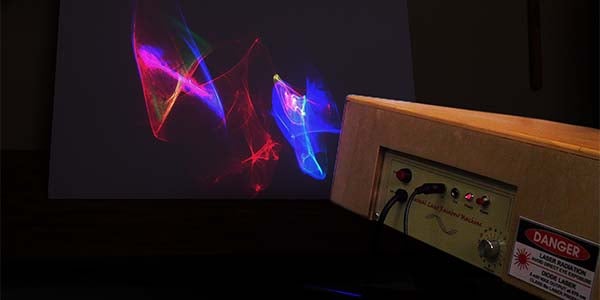
Build a Musical Laser Rainbow Machine

BUILD A MUSICAL LASER RAINBOW MACHINE
Make liquid light with lasers and music.

I’ve been searching for a way to give our band’s performances the kind of visual elements that can only otherwise be achieved by true lighting artists. As a musician, inventor, and laser enthusiast, I decided to draw on all my hobbies and have created a light machine that has unique responses to each tone, frequency, and beat.

Build Yours Now!
Lattice Wave Digital Filters

LATTICE WAVE DIGITAL FILTERS

This article is a result of my investigation into LWDFs which were just too cool to pass up.

Typically, when I find a technology that interests me, I go overboard in my research and spend lots of hours playing with it in order to understand it. LWDFs were no exception. This article and the accompanying design tool were a result of my investigation into LWDFs which were just too cool to pass up.

Read It Now!
Subscribe To Nuts & Volts
Build an Analog-Style LED Clock

BUILD AN ANALOG-STYLE LED CLOCK

Part 2 – Finishing the circuit, making the printed circuit board, building the clock, and how the software works.

Last time, we looked at a test circuit that had 12 LEDs. Using Charlieplexing, we ran those LEDs with only four I/O lines and determined that expanding the LED matrix to 14 I/O lines would enable us to individually control 182 LEDs. We also looked at how to incorporate the reading of four pushbuttons by connecting them to the LED matrix with a handful of other discrete components. This time, we’ll expand the LED matrix to run the 182 LEDs that the clock uses and make a printed circuit board (PCB) for the clock. Then, we’ll wrap it up with a discussion of how the software works and put the finishing touches on our unique timepiece.

Build It Now!
Animatronics Book
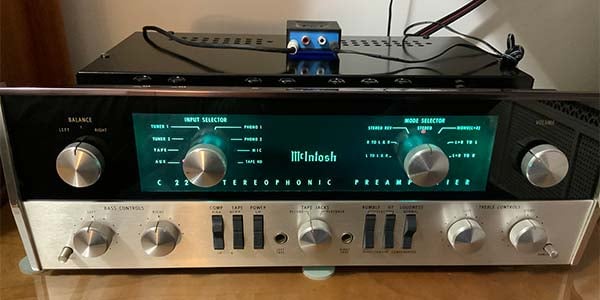
Restoration of an Abused 1965 McIntosh C22 All-Tube Preamp

RESTORATION OF AN ABUSED 1965 MCINTOSH C22 ALL-TUBE PREAMP
We’ll help out an abused 1965 McIntosh C22 all-tube preamp.

The C22 — one of my holy grail audio electronics acquisitions — is known for quality in engineering and construction and audiophile performance. The C22, which originally sold for $330 in 1965, now sells for between $3,000 and $6,000, depending on condition. Even if you don’t own a C22, by following along, you can pick up pointers for your own vintage restoration project — especially when it comes to restoring improperly serviced gear.

Read It Now!
Super Awesome Cube Kit

Super Awesome Cube Kit

Need soldering experience? This is the kit for you!

Soldering skills are required by industry manufacturing electronic products as well as electronics enthusiasts developing new prototypes. What distinguishes the skilled solderer is the ability to perform work at a level that insures reliability. Here’s a kit that even though it’s electronically simple, it provides the builder with an array of soldering challenges and hours of soldering experience.

Find It in the NV Webstore

Read More Details
Do You Love Robots? - Subscribe To SERVO
Nuts & Volts On CD-ROM
Learning Lab 1
DIY RC Controller
Altaids Computer Kit
You are receiving this email because you have been a subscriber to Nuts & Volts Magazine, or have requested to receive our email newsletters. You may unsubscribe, change your email address or content preferences at any time through the links provided below.
Facebook
Twitter
Nuts & Volts Magazine | 2279 Eagle Glen Pkwy #112-481, Corona, CA 92883
951.371.8497 | editor | www.nutsvolts.com
T & L Publications, Inc, 2279 Eagle Glen Pkwy #112-481, Corona, CA 92883, United States, 951 371-8497

Condx and Persistance

It mistifies me that so many hams are so stringent.  In this respect I refer to those that simply must have an antenna that is perfect for the band or a multitude of power or some other special cause.   One of the greatest points of interest for me in Ham Radio is ‘”Just try it !” .  If is fails or you make a mistake, go back, maybe learn a little more, fix what didn’t work and try some more. 

I know some that think the dipole has to be straight from the center.  That ain’t so.  It may work better if it is perfectly put up but I bet it is going to work some no matter how you got it up.  If you think it is compromised in some way figure out how you can overcome that.   Even if you ask the “experts” try something, anything.

Today was a great day on 6 meters (for me).  The ‘magic” band opened up this morning a little then kinda of slide down then came back in different directions this evening.  I do not have a “6 meter antenna”.  I am using a homebrew 10 thru 80 design OCFD.  It also is very compromised because I live in a bad HOA and I have it maybe 20ft. off the ground and hidden in the pine trees with an odd angle at the feed point out.   It works but not great for the lower bands but today…

Image 1

Spots being seen at one point during the day.

Image 2

My contact list so far.

So, all I can say is “try it you might be surprised” and some times it takes persistence and the right conditions.

WD0AJG